Arrays topic in TypeScript is divided into following parts:
- Introduction to Arrays
- Array Objects
- Methods in Arrays – Part 1
- Methods in Arrays – Part 2
- Methods in Arrays – Part 3
- Multidimensional Arrays
- Arrays in functions
Introduction to Arrays
- When we store a value, we declare a variable and assign the value to that variable. This variable takes a random place in the memory. But if we want to store 100 values of same type, like userNames, we have to declare 100 variables which will take 100 random places in memory. Hence using variables in this scenario is not feasible.
- We use Arrays for this scenario. An Array is a collection of values of same data type.
- Arrays are allocated sequential block of memory. Each memory block represents an array element.
- We cannot resize the arrays once they are initialized.
- We access array elements using an index. Array index starts with 0(zero). That means, first element of array is stored at the index 0.
- Arrays should be declared before they are used. Variable name of arrays follow the rules for declaring a variable.
- We can update an array element’s value, but we cannot delete it.
- Array population means initializing the array elements with the values.
- If you do not provide the data type to array variable, it will take any data type.
Declaring and Initializing an Array
Syntax
// Declare and initialize Array in different statements
var arrayVariable:dataType[];
arrayVariable = [value1, value2, value3,...];

// Declare and initialize Array in one statements
var arrayVariable:dataType[] = [value1, value2, value3,...];
Below is a an example
// Declare Array and then initialize it
var users:string[];
users = ["Akanksha","Aarav","Anita","Raj"];

// Declare Array and initialize it in the same line.
var users1:string[] = ["Akanksha","Aarav","Anita","Raj"];
Accessing Array Elements
Array elements are accessed using indexes. Index for array starts with 0. We can use loops as well to access the array elements.
Syntax
arrayVariable[index];
Below is an example
var values:number[] = [10,20,30,40,50];
console.log(values[0]);
console.log(values[1]);
console.log(values[2]);
console.log(values[3]);
console.log(values[4]);
Below is the output of above code
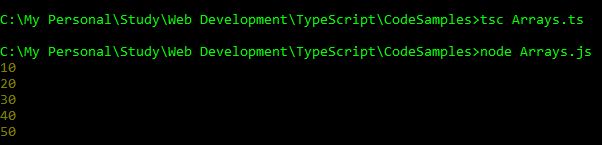
Using for loop to access Array elements
Below is an example
var values:number[] = [10,20,30,40,50];
var i:number;
for(i=0; i<values.length; i++){
    console.log(values[i]);
}
Below is the output of above code
Using for…in loop to access Array elements
Below is the sample code
var values:number[] = [10,20,30,40,50];
var val:any; // make sure this data type is any
for(val in values){
    console.log(values[val]);
}
Below is the output of above code
 Akanksha's Blog