I have logged in to https://create.powerapps.com.
I want to create a Power App using data from SharePoint. Click on Phone Layout for SharePoint.
Choose the Connection and SharePoint site to which you want to connect. If you are not able to see your SharePoint site URL in the list, type the Site Collection URL and click on Go.
Create a new connection if you do not have a connection.
Once you select the site, you will the SharePoint Lists that are available in the selected Site Collection. Please note that this will display only SharePoint Lists and not the Libraries. If you are not able to see the name of the SharePoint list here or you want to connect your App to SharePoint Library, enter its name. Click Connect once done.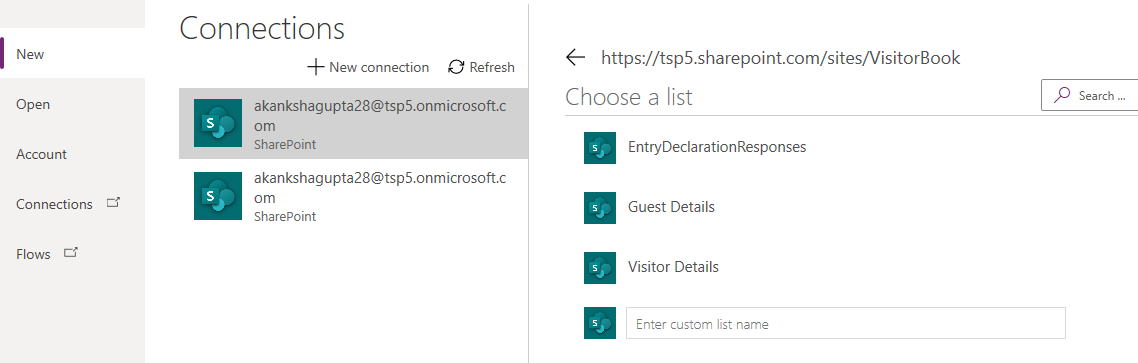
I have chosen Visitor Book site Collection and Guest Details SharePoint List.
Previous |
Next |
 Akanksha's Blog