We use .NET Framework assemblies
Microsoft.SharePoint.Client.Runtime.dll and Microsoft.SharePoint.Client.dll.
Below are some sample CSOM codes. You can modify them as per your need.
Get All Web Properties
public static void GetAllWebProperties(string siteURL, string username, SecureString password)
{
        using (var context = new ClientContext(siteURL))
        {
            context.Credentials = new SharePointOnlineCredentials(username, password);
            Web web = context.Web;
            context.Load(web);
            context.ExecuteQuery();
            Console.WriteLine("Title: " + web.Title + "; URL: " + web.Url);
            Console.ReadLine();
        }
}
Below is the output of above code:

Get Selected Web Properties
public static void GetSelectedWebProperties(string siteURL, string username, SecureString password)
{
        using (var context = new ClientContext(siteURL))
        {
            context.Credentials = new SharePointOnlineCredentials(username, password);
            Web web = context.Web;
            context.Load(web, w=>w.Title, w=>w.Description);
            context.ExecuteQuery();
            Console.WriteLine("Title: " + web.Title + "; Description: " + web.Description);
            Console.ReadLine();
        }
}
Below is the output of above code:

Update Web Properties
public static void UpdateSelectedWebProperties(string siteURL, string username, SecureString password)
{
        using (var context = new ClientContext(siteURL))
        {
            context.Credentials = new SharePointOnlineCredentials(username, password);
            Web web = context.Web;
            context.Load(web, w => w.Title, w => w.Description);
            context.ExecuteQuery();
            Console.WriteLine("Old Site Desctiption: " + web.Description);
            web.Description = "New Description";
            web.Update();
            context.ExecuteQuery();
            context.Load(web, w => w.Description);
            context.ExecuteQuery();
            Console.WriteLine("New Site Desctiption: " + web.Description);
            Console.ReadLine();
        }
}
Below is the output of above code:

Create a SubSite (Web)
public static void CreateNewWebsite(string siteURL, string username, SecureString password)
{
        using(ClientContext context=new ClientContext(siteURL))
        {
            context.Credentials = new SharePointOnlineCredentials(username, password);
            WebCreationInformation web = new WebCreationInformation();
            web.Title = "New Web";
            web.Url = "NewSC";
            Web newWeb=context.Web.Webs.Add(web);
            context.Load(newWeb, w => w.Title);
            context.ExecuteQuery();
            Console.WriteLine("Title: " + web.Title);
            Console.ReadLine();
        }
}
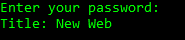
Below is the output of above code:
 Akanksha's Blog