Below are the steps to open MS Project 2013:
- Go to Start –> All Programs –> MS Office 2013. Click on MS Project 2013.
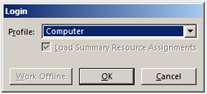
- You will be prompted to login. Choose Computer from the drop-down. Click OK.

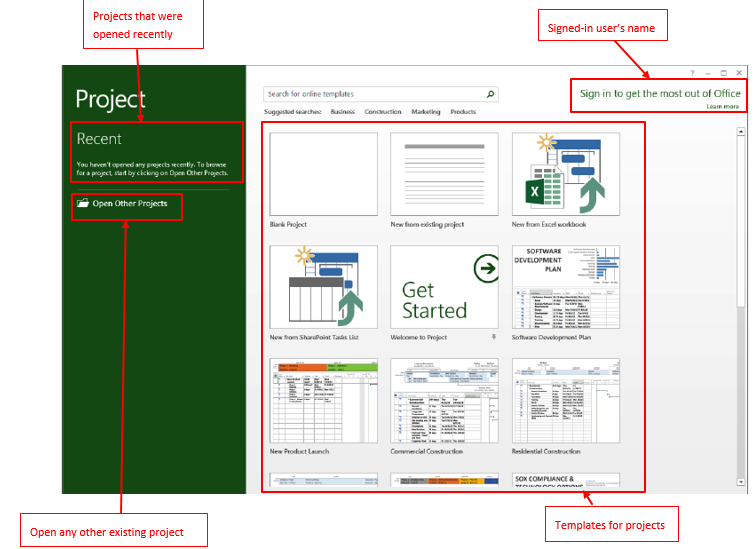
You will see below screen:
Below are the steps to open MS Project 2013:
You will see below screen:
Start or Upgrade your Career with Power Platform
Python | Azure | AI/ML | OpenAI | MLOps
 Akanksha's Blog